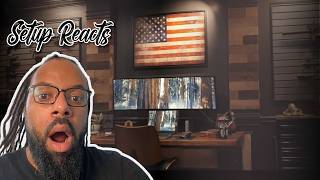
Full Video Studio Setup in Tiny Office for Pumping Out Videos
Explore a compact, high-output video production studio, featuring an Atem Mini Pro, Earthworks Ethos mic, Rodecaster, and smart home automation for seamless video creation.
Key Takeaways
- The setup utilizes an 8x9 foot room, demonstrating effective space optimization for high-quality video production.
- Key equipment includes a Sony A7IV camera, Earthworks Ethos microphone, Rodecaster Pro 2, and an ATEM Mini Pro video switcher.
- Smart home automation (Apple HomeKit) manages lighting, blinds, and atmosphere, creating a controlled shooting environment with one command.
- Acoustic panels and sound blankets are used to dampen noise and reduce echo, ensuring clear audio capture.
- The ATEM Mini Pro allows for hardware-based switching between multiple camera inputs, simplifying multi-camera video production.
Need to Complete High-Quality Creative Work Fast?
We're obsessed with making tools that help you FLY THROUGH your creative work! If you want to produce more quality creative work then you ever have before, then drop your email below and get exclusive first access to new products we launch, at HUGE discounts, all dedicated to helping you Complete Creative Work Faster
Full Transcript
I’m about to record a podcast, so come with me to get ready in my studio. I’ll show you my gear, the entire process, all the way up to hitting record. So here’s my studio. It’s a little 8 foot by 9 foot room here in the house, but everything is decked out and ready to record. Haven’t turned anything on because we’re gonna do it together now, first thing I do.
So this setup’s interesting. This setup’s the, I guess home studio, home office of who I think, I think I haven’t confirmed this because he’s the head or maybe the founder of Riverside, which is a video podcasting production platform, I guess is the best way to put it. They have a bunch of different tools in there. They have very good audio recording tools, they have very good video recording tools. They sponsor a lot of videos.
Probably you might have seen them around. If you’re, you know, if you’re interested in video production and you’ve been looking at a bunch of YoYouTube videos about video production, you. You may have seen a Riverside sponsored video. But yeah, this setup seems very sort of optimized for. This setup seems really optimized for producing like well shot short form and maybe like, you know, medium to long form content in a very small space.
I think he’s done a very good job of utilizing this, what is essentially, you know, seems like maybe a small room, a small spare room which they’ve converted into his office. He sort of converted this into this really good space for sort of shooting and I guess producing video. Because the living room is here and the kids might be here. While I’m recording, I’m going to close that door and then also put this sound blanket that I have on a swivel arm. Close that and that helps dampen the noise from the outside and cuts down the echo.
In here you see some of my background decor. These are GIC sound acoustic panels. You can get different designs and colors, which is pretty sweet. And that’s some of my background decor, which got a little jazz Lego set there too. But, but this is where all the magic happens.
So let’s sit down and get ready. First thing, take lens cap off. This is the Sony A7IV. It’s what I use to record all my videos and podcasts. And the multi view for that ATEM mini pro goes into this monitor.
So I’ll turn that on and here I can preview the camera shots. And I also have this. That’s nice. I think that camera, the A7IV, I think that’s a, it’s a 4K full frame camera. That might not mean anything to some people, but yeah, if you’re into cameras, that’s, that’s a very high quality camera.
Full frame just means that the sensor in it essentially can, it doesn’t crop the picture. When you’re recording or taking photos, you get the full frame, you get the whole thing. Other types of cameras like the one I’m using are a APS C which essentially apply like a small amount of crop to your shot. So essentially this matters when it comes to your picking lenses. So with a full frame camera, you put a lens on it and you get the full range.
Whereas with a APS C camera there may be some cropping, so it may mean you need to pick your lenses differently. Also, these generally tend to be very high quality output in them. Sony make brilliant cameras. But yeah, the camera he has there, the A7IV, is beautiful and I’d love to have one external display for my Mac. Now as you can see in this shot that the edge of the monitor is.
So I’ll turn that on and here I can preview cast and the multi view for that ATEM Mini Pro goes into this monitor. So I’ll turn that on and here I can preview the camera shots. And I also have this as an external display for my Mac. Now as you can see in this shot that the edge of the monitor is actually in the camera shot. But my studio display here is actually on a VESA mount arm so I can actually push this back.
I’m using one hand, so it’s a little weird right now, but I’ll push it back out of the camera shot. And now, now I’m ready to go. Now next up for gear, I actually have an Elgato low profile mic arm that holds my podcasting mic. I’ll bring that over and I’m ready to go with the camera and mic setup. Also, this mic is going into that Rodecaster Pro 2 and that’s connected to my Mac studio.
And I forgot to mention, this is the Earthworks Ethos microphone. As you can see, I have several microphones that I could be using, but this one’s still my favorite. Sounds good for my voice. Doesn’t pick up a lot of room noise or echo, so it’s my preferred. So.
So the first thing I open on my Mac, that’s a pretty sweet audio setup he has there. It’s kind of like, I wouldn’t say it’s top of the range, but it’s up there. You know that Earthworks E Force Mic. That’s a beautiful. Earthworks make beautiful microphones.
They look fantastic. That’s all I know about them. I’m not sure about sound quality. I’m pretty sure they all sound amazing. But it seemed that he also had a.
Was it a Shure SM7B microphone as well as the Rode PodMic, which is what I’m using here. And they all seem to be going into the Rodecaster 2, which is kind of like an audio interface with a bunch of features. It has different profiles, you can store profiles on it for your different microphones and sort of applies a bunch of different effects depending on which microphone you have attached to it. A lot of podcasts use those. They are really nice.
I wouldn’t even really call them pricey. They’re just, you know, premium priced. And I think that’s because of how many functions they, they sort of squeeze into those, those Rodecaster devices. I want to get one. If you can’t tell, I’ll be looking them up.
But that is a beautiful audio setup he has there also. I love that he has the. I think he said he has an ATEM Mini Pro which is a video switcher. Those are really handy to have. It’s sort of like it allows you to connect to, to take the HDMI output of cameras and you can sometimes, you know, up between like four and sometimes up to like eight maybe ten different cameras.
You can feed those into the ATEM Mini Pro and then you can switch between them. So when you see like a podcast being a video podcast being shot in a studio and they’re switching between different cameras, a lot of times they’ll use a device like the ATEM Mini Pro in order to do that. And you do it essentially in hardware. You’re not using software, you know, so not necessarily connected up to like OBS or eCamm, you know, sitting on your, on your Mac or on your computer, on your Windows computer and switching between those different angles in software, the ATEM Mini Pro does it for you in the device. And I think it can record, it can, it can record the output of multiple cameras onto a lot of times onto a hard drive, sometimes onto the device itself.
So they’re very handy and allow you to just do a lot of things without essentially bogging down your computer with 4K video feeds from multiple different cameras, you know, lovely devices. Because we plan every episode in Notion, I use that to collaborate with my co host. I’ll open that Notion document and the next episode notes here. In Notion we keep all the Notes, everything we’re going to talk about, links to different articles and. And this is going to be open the entire time I record.
You actually see it open here as I was recording primary technology. That’s my tech podcast. Then in addition to Notion, of course, I’m going to be opening Riverside because that’s what I use to record. Now that I’m signed in, I’m ready to jump into the studio. But we have to set the scene.
And for that I actually have a lot of lights here in my smart home. See, this is Apple HomeKit and I have a lot of devices here in the studio. Specifically, I actually have different colors for different scenes. So I’m going to run this video blue scene point you guys this way so you can see. But.
But as soon as I start running that scene, you’ll see some of the lights turned off. That was the ceiling fan light above, but the colored lights behind me, those turned on. Those are Philips hue lights. I’ll go through those in a second and you’ll see the blackout shade is starting to close. You’ll also see here in the shot, as that blackout shade closes, the lighting gets better and better.
You see more of the color on the background. That’s because it’s going to cut out all of that natural light coming in through the window. And now I have complete control over my lighting. Some other lights that that HomeKit scene enabled was my key light. This is the Amaran 200X with a light dome 2.
I have a whole video on lighting. I’ll link that A.B. want to see my setup? And then I have a couple elgato key light airs. There’s one there as a fill light and one up there for a hair light.
And as you can see, my background is now blue. That’s an EVE flare, that glowing orb. I have a gradient light strip back there. And what’s really producing a lot of the color is this hue sign floor lamp. It’s a pretty tall floor lamp.
Again, Philips hue, you do need a hub, but it works with every smart home platform. And that does a lot of the work of coloring the background. And like you can see it doesn’t look very saturated in color when you’re just looking directly at it. But because my aperture is really wide open on my camera lens, which is a Sigma 35mm F1. Four, it’s letting a lot of light in.
I keep my key light very dim. And now you really get that nice look behind me with the saturated color. You can see other videos here on the riverside. Channel which subscribe and hit that like button and you’ll see what that background looks like in different colors, blue, purple, just plain. And I can change it at a moment’s notice.
Now the next thing I do on my computer is I share a lot of screen. That’s pretty sweet automation set up he has there. I love that you can just was it in Homekit, Apple Homekit. So I guess you can just do it from the phone. Maybe you could just use Siri, you know, speak a command or perhaps press a button on a panel and it sort of turns on the lights that you need, closes the blinds automatically.
That seems like a very good sort of a sit down, press a button, start recording kind of setup. Very, very highly optimized for sort of content production. Now. Now for my headphones, you can get a nice pair of Shure in ear monitors for about 100 bucks. These are Beyerdynamic Xelentos.
They’re really fancy. They were sent to me. I wouldn’t recommend just for doing podcast recordings, but they do sound really nice. And these are going to plug into the headphone cable that I have here. This is an extension going all the way back to that Rodecaster Pro 2, way back there.
So that’s why I have an extension. My headphones are plugged in. So I’ll put these in my ear and I’m ready to go. Thin air. So those are in ear monitors that he’s talking about.
I actually have a pair. I’m using a pair of Shure SE215 in their monitors at the moment. I bought these years ago and they’ve sort of. I sort of bought these before. There’s, there’s like a new wave of these kind of like Chinese audio companies who make these, you know, some of them really good in their monitors now for it can be very cheap.
You know, we might be talking like as cheap as like $10 for a decent little pair. A lot of them, you can customize them. They sort of use these, what’s called like MMCX connectors to connect to the cable so you can, you know, sort of change the cables in them. A lot of them you can even get these like Bluetooth receivers which you then plug into the, the tips essentially which go into here. So you plug in these Bluetooth receivers and the wire sort of flows to them.
So you can make your in ear monitors which were wired before, like my ones, and essentially make them Bluetooth. So you can take them with you? Yeah, you can. There’s this new sort of new wave of. It’s called chi fi, Chinese hi fi.
Where, yeah, people essentially like specializing now and looking into all the different options of these. These. These cheaper but still pretty high quality in ear monitors. If you’re looking for good quality audio, it’s an interesting path to go down. I also think for video production, a lot of times you actually need.
You need headphones. Simply because if I’m recording a video, if I’m reacting to a video especially, I might be playing sounds, and if I play them through speakers, then my microphone might actually pick up that sound, which kind of creates like a loop, like an audio loop. And so that’s kind of like it just. It can just completely destroy the quality of a video. It’s impossible to listen to it.
So you need inner monitors a lot of the time just to be able to hear it. Inner monitors sort of stay out the way. And yeah, just, you know, a lot of times you’ve got hair like me, you can’t even see them. So, yeah, they can. They can work quite well.
So I think the rest of the video is sort of like a deep dive into how he’s using. Riverside is his tool. This is on the Riverside YoYouTube channel. So obviously, you know, we’re sort of more interested in the setups here. So I think we’ll call that the end of this video.
I think it’s a great setup. Like I mentioned before, it’s a great setup for video recording. I love the automation. I love his camera setup. I love his audio setup.
Especially Matt, his microphones, man, there’s a. There’s a beautiful set of microphones he has. This is kind of like he went through my Mount Rushmore of microphones there. And I love the lighting. He’s.
This is a very good light set up for. There’s nothing crazy in there. There’s nothing. Which is maybe above. I’d say around $200, maybe like $250, which is a lot of money.
But when you start looking into video lighting, it can get expensive very quickly. And, you know, same goes for all the other equipment he has in there. Nothing. Which seems kind of like. Just like a crazy expense.
These are all things which someone who’s, you know, maybe a few months into, a couple of years into like making YoYouTube videos, perhaps even recording longer form videos for other purposes. These are all achievable sort of items. And maybe that’s on purpose, you know, because I mean, he does sort of operate a video editing video production tool. And so therefore maybe he actually wanted to make sure he has the equipment which his customers will be using, which to me is a smart move. But, yeah, great setup in a small space, and I think we can call that one.
Perfect.