Inside a PRO Grading Suite feat. Moonlander Keyboard Macropad
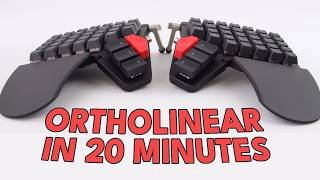
Watch our reaction to film colorist Nat Jinks' video editing setup, featuring a DaVinci Resolve Mini Panel and a Moonlander keyboard as a single-hand macropad.
Key Takeaways
- Film colorist Nat Jinks utilizes a repurposed half of a Moonlander keyboard as a single-hand macropad to achieve a flow state during video editing.
- The ZSA company, known for their Moonlander, Voyager, and Ergodox keyboards, created a video series highlighting how users integrate their products into daily workflows.
- Nat Jinks emphasizes that speed and efficient iteration are crucial in professional color grading, allowing for more passes and higher quality output.
- He prefers a minimalist, single-hand macropad setup over large control surfaces to minimize hand movement and maintain focus.
- By keeping one hand stationary on the macropad, users can build muscle memory and reduce distractions, creating a smoother connection between intent and action.
- The concept of 'reps-based' improvement, similar to progressive overload in fitness, applies to creative work where more iterations lead to better results.
Need to Complete High-Quality Creative Work Fast?
We're obsessed with making tools that help you FLY THROUGH your creative work! If you want to produce more quality creative work then you ever have before, then drop your email below and get exclusive first access to new products we launch, at HUGE discounts, all dedicated to helping you Complete Creative Work Faster
Full Transcript
On the video editing setups, this first setup is an interesting one. This is a setup from Nat Jinkx, who is a colorist or film colorist. And so the video is made by this company called zsa. They’re pretty well known for the keyboards that they make. They make the Voyager keyboard, the Moonlander, the Ergodox, which I actually own sitting on my desk over there.
Yeah, the Voyager is the most recent keyboard, is a beautiful looking keyboard, pretty pricey. But I think just based on, you know, the hardware that they use and the software, actually the configuration software on ZSA stuff is excellent. It’s really good. I’d say best in class for, you know, mechanical sort of custom keyboards. So the company behind these keyboards are called zsa and they made this video series called Spaces where they just went around, I think they did like a road trip around the US Just went and spoke to a bunch of customers or a bunch of people who use their keyboards and saw how they use the keyboards in their daily life.
So they have writers on there. I think they have like a lawyer. There’s one, there’s one set up which is like a lawyer set up, how he works. And this one is a film colorist named Nat Jinx. So we’re going to watch the video and I’m going to react to it.
So all through this space is different offices. Some are production offices, some post production. A lot of filmmakers, people in different creative industries and people are kind of nestled in their own world around here.
My name is Nat Jenks. I’m a colorist for films and episodic TV shows. This is a space that some friends and I set up. It’s in an old school building that’s been renovated and restored. The filmmakers that I’m working with are under extremely tight deadlines.
So anything that I can do to speed up the amount of time that it takes for me to get to the finish line for a project, it’s not only about finishing the project quicker, but actually allowing us to have more time to iterate. Right. That’s an interesting note he made there. Kind of about speed, you know, and sort of like, how did he phrase it or something like anything, anything he can do to speed up getting to the finish line. You know, it’s very important.
I find it interesting that, you know, professionals who work in these fields, like in the video editing field, sure. They need to, you know, he’s a colorist, so need to do the, you know, the highest quality work. They need to make sure that they’re essentially creating A good looking picture, I guess, a good feeling picture. I guess that’s how it works with color as well. Like it’s kind of like a feelings based sort of art.
You know, you’re sort of trying to make sure the tones and everything looks just right for the movie. And I guess you can sort of adjust colors to sort of bring out certain qualities of a scene. And so, yeah, it’s interesting that, you know, he’s essentially like an artist, but speed really matters there. You know, it’s like you have to, you have to produce things to a deadline and you probably have to do a lot. And so you can’t really just be sort of endlessly sitting there looking at your work kind of going, oh, you know, that’s a beautiful scene.
Let me just watch this 15 times over and just admire it. It’s just kind of like, no, I need to, I need to get to a high quality, probably as a high quality bar and do it quick and then move on to the next scene and do that quickly too. So it’s both quality and speed. I find that that’s an interesting balance there because it’s on the one hand very technical, but on the other hand, ultimately it is a creative art form, right? And the way that we absorb it is not by sitting and looking at like, you know, individual pixels or colors, but is by watching a film and absorbing it.
So there’s sort of a give and take between those things. And for me, the number of iterations that I can get in to do a pass on a film, watch it, see how it feels. The more quickly that I can work, the more, more iterations I can get in. That’s interesting. Right?
So it sounds like it’s like a reps. It’s a reps based problem. It’s kind of like when you go to the gym and you know, you’re trying to build your muscles up or just trying to get in shape, whatever your goal is at the gym, a lot of the times it’s just about just doing the reps. You know, you just need to continuously. When I go to the gym occasionally there’s something, there’s a concept called progressive overload, which is this idea that you’re continuously just sort of moving up slightly in weight and that’s how you can kind of increase your strength. Strength being is the core concept there.
And also, you know, increase your like muscle size or whatever your goal is. Maybe flexibility or if you’re an athlete, perhaps it’s increase your speed or jumping height. You know, if you’re a basketball player, volleyball player or something like that. You use this concept of progressive overload. So it’s, you know, even if it’s just, we might be talking like a few pounds or kilos, depending where you are in the world, you know, you might just be adding 2.5 kilos every time, every, every gym session.
But that small little overload, it kind of adds up. And before you know it, first of all, before you know it, you’re lifting some seriously heavy weight. And also you’re getting just a little bit stronger every time you do the workout. You’re not just lifting the same weight. That’s not really how gym works.
And it sounds like, you know, with the, with the video colorist profession, you’re essentially trying to do the same thing. You’re just trying to get in as, as many reps as possible. Obviously he’s not, he’s not training in that way. He’s just, he’s more, trying to get more passes the of the job. And the more passes you can do in the shorter amount of time, the generally the better the quality of the output is going to be.
Does have a design principle where they’re a huge control surface with a dedicated button for every function that you would want. What I’ve found is that actually the exact opposite is very useful, which is that I mostly want to have one hand on either pen or mouse and then another hand on a set of keys and basically keep that hand stationary. And that by using a very large number of modifiers and shortcuts, I can map almost everything that I need to a single hand. Which means that rather than stopping what I’m doing to move my hands over a very wide surface, I can just keep my eyes on the screen in front of me. Keep one hand on a mouse or pen and the other hand on a Macropad.
I looked into these color editing panels. If you see the panel he has there on the screen with the sort of trackball, the big, the wheels, the three wheels, I looked into those. This specific one is a DaVinci Resolve by Blackmagic panel. It’s called the DaVinci Resolve mini panel. There’s larger ones.
This is the medium sized one. And essentially you can, you know, the large panels has a very specific button for each specific function. And it seems that he doesn’t like that. He likes a smaller panel and having his hand sort of on one in one place. He doesn’t like to move continuously between devices.
So maybe it’s like one hand continuously on the Macropad. The keyboard there to set up as a Macropad, and then he can use layers, but it’s like you keep your hand in that position and use your other hand for, you know, controlling other things. You can move from the mouse to the small panel. And it seems like he lacks like, sort of like a centralized. Almost like a minimalist, colorist setup, essentially.
Which is. Which is an interesting concept. I like that it seems ergonomic. You know, it probably reduces, like, body pain from just continuously reaching over these massive panels in order to keep hitting the same buttons over and over again. Instead, you kind of like, have everything in one place.
But I think the real reason seems to be more for, like, the focus element. You know, he’s trying to sort of say, like, locked in on the task, and he doesn’t want to distract himself by continuously, like, hunting. Hunting for this. This one key, which is, you know, key number 422, which you’re pressing up in the right hand corner. Instead, it’s just like, you know, where it is kind of like by feel.
And you can kind of just keep your hand in that one place and just. Just feel the button. So I like that it’s essentially trying to create, like, a smoother connection between four, like, oh, I want to apply this and your body. Your body movement. So to press the button, you know, you’re reducing that down by just keeping it on one pad, which is always in the same place.
I like that. It’s smart. And I guess the more you use it, this the kind of, you know, muscle memory. You’re just gonna. Just gonna remember it without even having to think about it, which is a smart move.
This is why I love macropads, which is why I’m building one in that way, because you. You see these giant control surfaces, which are. They are useful, but they also. There’s an element of them which is a little bit theatrical and that, like, people walk into a room and they’re being charged, you know, $500 an hour, and they see this giant piece of equipment that, like, oh, this must be a big deal. You know, in reality, I think, as is so often the case, less is more.
Really, the key is to stay in a flow state where you’re not just. Quick note that panel there that you see on the screen. This. This color panel with the free wheels on it. I looked that up, and, yeah, like I said, it’s called the DaVinci Resolve mini panel.
There’s also like a micro. Was it called the micro color panel? And also an advanced panel, which is Huge. But this one, this panel he has here costs $2,319 if you buy it from Blackmagic themselves. And the website described it as a portable DaVinci color panel with free high resolution trackballs.
See trackballs here. 12 primary, 12 primary corrector knobs and LCDs with menus and buttons for switching tools, adding color nodes, HDR and secondary grading. Wow. It sounds like a very advanced panel, but yeah, that’s, that’s two grand just for that panel alone. And the larger one is like 20 grand.
So, yeah, these things are very expensive, but they’re very. They like highly specific tools. And I guess for professionals it makes sense. You know, like I said, you might be charging $500 an hour, you know, for coloring. And this might be for like high, high profile movies.
You know, it might be the movies that we’re seeing on the big screen. So kind of makes sense that, you know, it would cost quite a bit to make sure the color correction is essentially perfect for it. But yeah, man, I saw that price, I was like, oh, yeah, I got to share this with the, with the setup, reacts crew. Like, wow, this must be a big deal. You know, in reality, I think, as is so often the case, less is more.
Really the key is to stay in a flow state where you’re not stopping to look down at your hands or stop to worry about like anything technical, but you can just move quickly. And so for me, having like everything mapped to essentially one hand, I do cheat a little bit and have another hand over here just for good measure. I find that that’s actually incredibly useful.
I’m not sure what switches he had there on that Moon lander, but they sounded like, not tactile. But the other, what’s called linear sounds like linear switches. I. I’m not a fan where, you know, you have like a sort of bottoms out. So it doesn’t have like a tactile. Normally has like a bump, like a slight bump, see, which you can feel on, on the bottom, which kind of gives a haptic feel to each key press, which I prefer.
But then there’s also like linear switches where you just press and it sort of hits the bottom and comes back up. Obviously there’s different types of linear switches, but generally speaking, whenever you hear that kind of focky, kind of. What’s it called? FOK T H O C Not swearing. Whenever you hear that sort of like echoey, slightly echoey sound that’s generally a linear key.
And also just want to touch on what he was saying about Flow states. You know, that’s why he likes having sort of using a single hand on his essentially like Moon Lander Macropad. And yeah, I actually looked into this a little bit in terms of like flow states and what happens when you eliminate switching, switching between devices, switching between tasks. And there’s actually interesting concept from, is an author, I think he’s like a university professor called Cal Newport. He wrote a book called Deep Work, how to be a Straight A Student.
So he’s done a bunch of work around sort of like lots of research into focus, focus and sort of like high performance through intense focus and what he calls deep work. And yeah, he has actually has a quote which I thought was really interesting in his article called, the articles called Our Brains are Not Multi Threaded. And in that article he states that the human brain is not a multi threaded computer processor. That kind of means like we’re not very good at as humans at switching between tasks and we’re kind of wired for like single threaded, non switchy sort of activity. Fundamentally we’re not good multitaskers, but we are quite good at sort of locking in on a single task.
Just sort of like just, just working, working through it. You know, we can, we can as humans we can grind tasks down pretty well. You might notice this if you’re doing something like if you’re fixing a bicycle, you know, if you’re putting the chain back on a bicycle, you know, these sort of tasks, which they don’t take a massively long time, but it might take like 10 minutes of just sort of repetitive, repetitively doing the same thing. And you know, if you can kind of get into the groove of it, you know, you kind of find yourself in this weird like element. It’s very calming, it can be very relaxing.
But yeah, there’s something very calming about this like single task doing the same thing and you’re just kind of cranking out the work at a steady pace where I think as humans we’re kind of like optimized towards that. We’re not very good at like handling 5, 6, 7 different tasks at the same time and just kind of like doing a little bit of one, a little bit of the other. Even people who say that they’re, they’re good multitaskers find that what they might be doing is more sort of like 10 minutes of one task. Maybe there’s a little break there, maybe not. Then it’s 10 minutes of another.
It’s not 30 seconds of one, 20 seconds of another, then back to 30 seconds and then 20 seconds of another task. It’s more like there’s generally a slightly longer period there. So we are as humans quite good at this. This is sort of like single threaded tasks as Cal Newport stated. And I think that sort of ties into like flow states, you know, if you’re ever trying to reach, if you’re ever trying to reach a.
A mode of work where, you know, you sort of locked in, you feel kind of like at one with the work that you’re doing. I think sort of taking this concept seriously, this multi threaded versus single threaded, taking that seriously, thinking about how you actually operate and trying to remember, you know, the last time you’re sort of locked in on a task, maybe think about what that task was. And I think you might find that it may have been something which was actually quite singular, you know, singular in focus. And I think we can sort of utilize that as like an interesting, it’s like an interesting note about human behavior that I think we could sort of use in a powerful way. And it seems that he’s kind of trying to do that with his tools here.
I’m not sure if this is just, you know, something which he just happened across and it just works for him or if this is something he’s actually thought about, he’s actually researched. He may not be a nerd like I am. So a co worker of mine was using Macropads and I was really curious about them. He was using the X keys which have been around in post production for, I don’t know, decades maybe. I quickly kind of grew frustrated with those.
Both the form factor and the interface for programming them was really important to. He just mentioned the X keys Macropad and I’ve actually, I looked into these a while back and they’re kind of like the og, the OG Macropads. A lot of them they kind of look like if you, you know, if you go into a store, like a grocery store, they. A lot of times they’ll have these sort of pads on the, on the cashier, on the cashier counter. You know, they have like a sort of keyboard which is generally just has numbers on it.
So I mean maybe they don’t have this anymore because everything’s sort of, you know, cardless. But they used to, back in my day, I’m aging myself a little bit here, but they used to have these small little pads where you could just tap into a bunch of numbers, sort of say how much each item costs and it could automatically tally everything up. That’s kind of what X keys they made products which I guess Sort of looked like those functions similar to those, but they actually have a bunch of different products. They have these Macropads which are, I think they have like a 16 key one. No, it’s 24 keys, a 60 key and 80 key Macropad.
So the 80 key one is like, it’s huge. It’s like a, like the size of a small screen or maybe like a 13 inch screen on your laptop. It’s kind of like the size of that and it’s just keys and you can kind of change the legends, you can change the, the top, the tops of the keys and place in, you know, new characters. So they’re actually quite kind of like manually customizable in that way. The software on them is universally, universally said to be terrible.
I think it’s just because, you know, they’ve been running for so long and a lot of their software was made maybe, you know, when we’re talking in the early 2000s, you know, these guys have been around for a long time. But yeah, the x keys, macropads, OGs, it was those. Both the form factor and the interface for programming them was really important to me that I find a solution where the customization was actually loaded into the hardware. Because I work in all sorts of environments that are not my own and because of the security and the environments that I work in, it’s very challenging to get anything authorized to install additional pieces of software. It’s always required that the systems are air gapped so meaning they have no connection to the Internet at all.
So having all the different shortcuts and macros programmed into the actual piece of hardware so I could take it with me, go to a facility, plug it in and have it work out of the box was key. The multiple color platforms that I use have vastly different keyboard shortcuts. But I can consolidate a lot of the core functions so that they have the same, the same shortcuts, which is super useful.
I was talking about this earlier today. To me it’s very important to not have heavyweight companion software along with any of my devices. You know, I’ve used a few which do have companion software and they’re good when they kind of stay out of the way. You know, if like you don’t really have to think about it or if it’s a product which, you know, I’m just not moving around. But I switch between different computers.
I had a, I used to have a Linux computer as my, as my daily computer, my daily laptop essentially. At the same time I also had a, I think I had a Windows PC, which I used to just keep running for just some small tasks. Now, however, I have literally two Mac computers in this room as well as I’ve got a server sort of sitting in the corner. So, you know, you need to switch between different devices and I don’t want to. If I want to move my devices between different computers, I don’t want to have to set up companion software on each application.
So for me, it’s just like a convenience thing. I like things to be mobile, so I like everything to be stored on device. You know, if I, if I make a bunch of customizations, which I nearly always do, to like a keyboard or to a Macropad, I want those same customizations to work if I move to a different device. I think he’s talking about it more from maybe like a security standpoint. A lot of times, you know, if you’re bringing in your device to work on, you know, company computers, they just can’t have you installing software.
It’s just too risky. So it’s like you can’t install anything. Sure, maybe you can bring in your own keyboard, but the keyboard has to work, you know, just as a basic USB device. So it has to just be recognized as a keyboard. And it sounds like that’s what he needs.
And the ZSA products, they, they all, as far as I know, they can all do exactly that. They can all store all the functions on the actual device, which is, which is very good, in my opinion. Maker’s time is an incredibly valuable resource. Often they’re split between multiple tasks. They’re working on color, they’re working on sound.
So anything that can get you there quicker is really a big deal.
You know, I work on an incredibly wide range of projects, which is really lucky. Today I’m doing some tests with the photographer Nan golden, who’s a hero of mine. And I did a documentary film called all the Beauty and the Bloodshed that Laura Poitras shot. It won the Venice Film Festival last year. And an incredible film to get to work on that type of range of projects where I’m one day, you know, working with a legendary photographer like Nan, and then on another day working on a Star wars project.
Sort of from the, the most big sort of otherworldly thing to the most like, real and intimate type projects. It’s one of the things that I’m most grateful about with this job is the variety of different projects that I get to work on. That’s so cool. It’s so cool to see someone who seems to sort of work on High profile movies, so high profile film productions. It’s so cool to sort of see their very sort of personalized setup.
Also, I find it amazing. Like hisp. He seems to. I think that’s a projector screen there in the back. And it seems to be.
I’ve seen other colorist setups on YoYouTube. I’ve seen other videos of other people’s video coloring setups. And lighting seems to be like a massive part of it, obviously, because if you have external lighting, it can affect the colors that you’re seeing on the screen. So if you get the coloring wrong, you could be making edits which just aren’t accurate, essentially, you know. So it’s really important that you see what’s true when you’re actually making these color edits.
And so that’s why I think he has this projector screen here. But at the same time it seems really dim. You know, it seems really like there’s a nice sort of mood, like a dark sort of almost like a cinema sort of effect there in the background versus up front where you can see it’s more light. And I’m sure when he’s actually operating, everything is almost like, I won’t say pitch black, but it’s very dark. And they seem to use a lot of like ambient and bias lighting.
Bias lighting, I think, is when, you know, if you have lighting on the back of your screen and it’s like reflecting against the wall. I think they use a lot of that in order to just add, you know, maybe the effect of light bleed that you might see when you’re watching your, you know, your TV in your living room. You might have the main lights off, but sure, you know, you might have the lights in another room on. So I think they’re trying to, you know, keep that sort of reality of how movies and screen productions are watched in order to, you know, get the best colors for what they do. I’m just fascinated by this, this whole industry, this sort of video colorist industry, I guess, because I love movies and yeah, this was a fantastic setup.
Let’s move.
Perfect.